
Private · by introduction
Your central brain,
built for you.
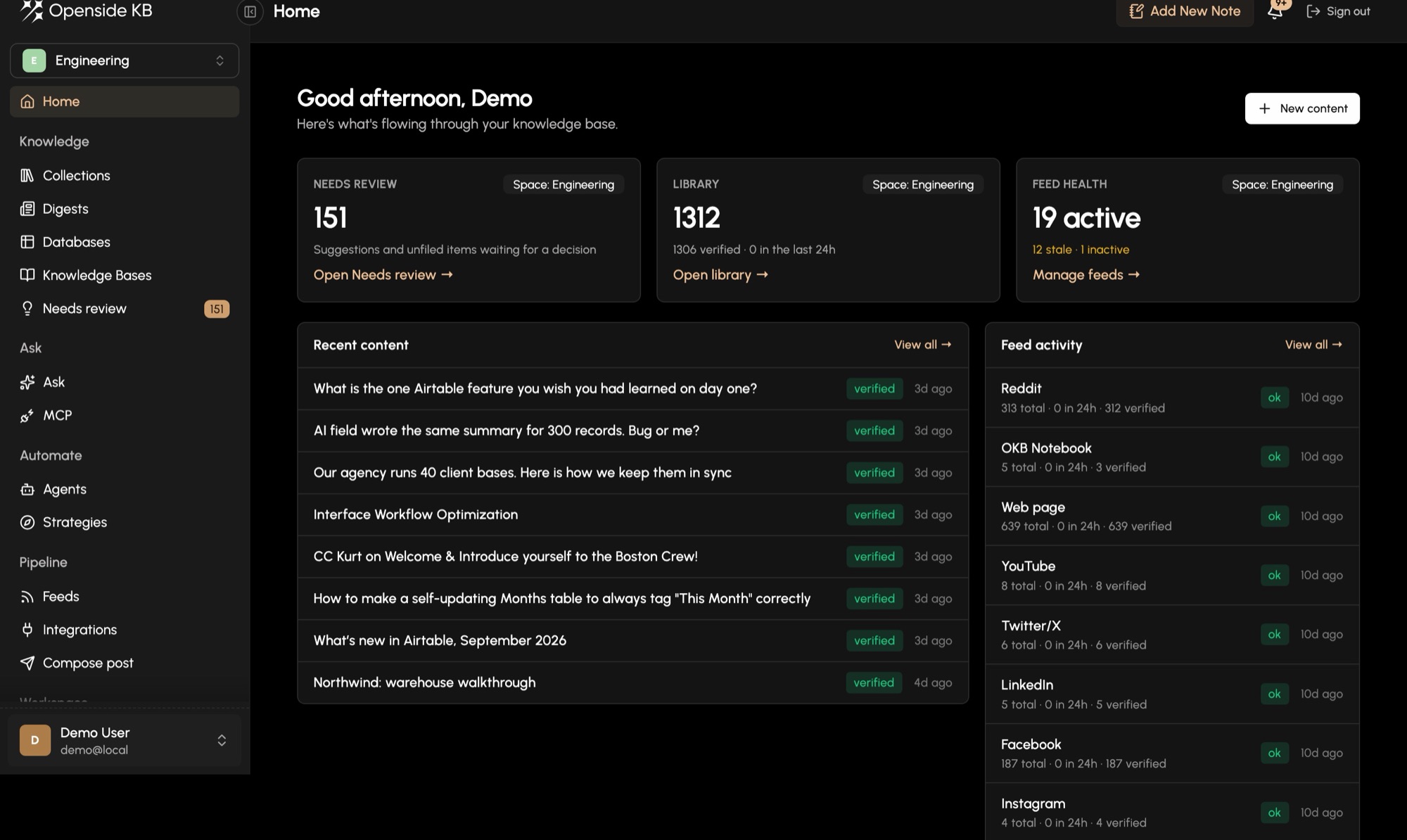
OKB collects everything you read, write and receive, sorts it by what it means, and makes it answerable, to you and to the other systems you use. We build it, connect it and run it for you.
Hours back every month
Reading, filing and searching handled for you.
One place for everything
Your sources, your notes, your history.
Answers with sources
Every claim traceable to where it came from.
What it does
Collect. Sort. Use.
OKB reads in and organises. It does not post, send or act on your behalf; the tools you already trust do that, drawing on what OKB knows.
- 01
Collect
Email, Slack, Drive, newsletters, YouTube, forums, websites, your calendar and your own notes flow in on their own, around the clock.
- 02
Sort
An AI agent reads each item and files it into the topics you described in plain words. What fits nowhere waits for you, not in the bin.
- 03
Use
Ask a question and get an answer with its sources. Read a morning brief. Hand the whole base to the other tools you already use.
Collections
Sorted by what it means, not where it came from.
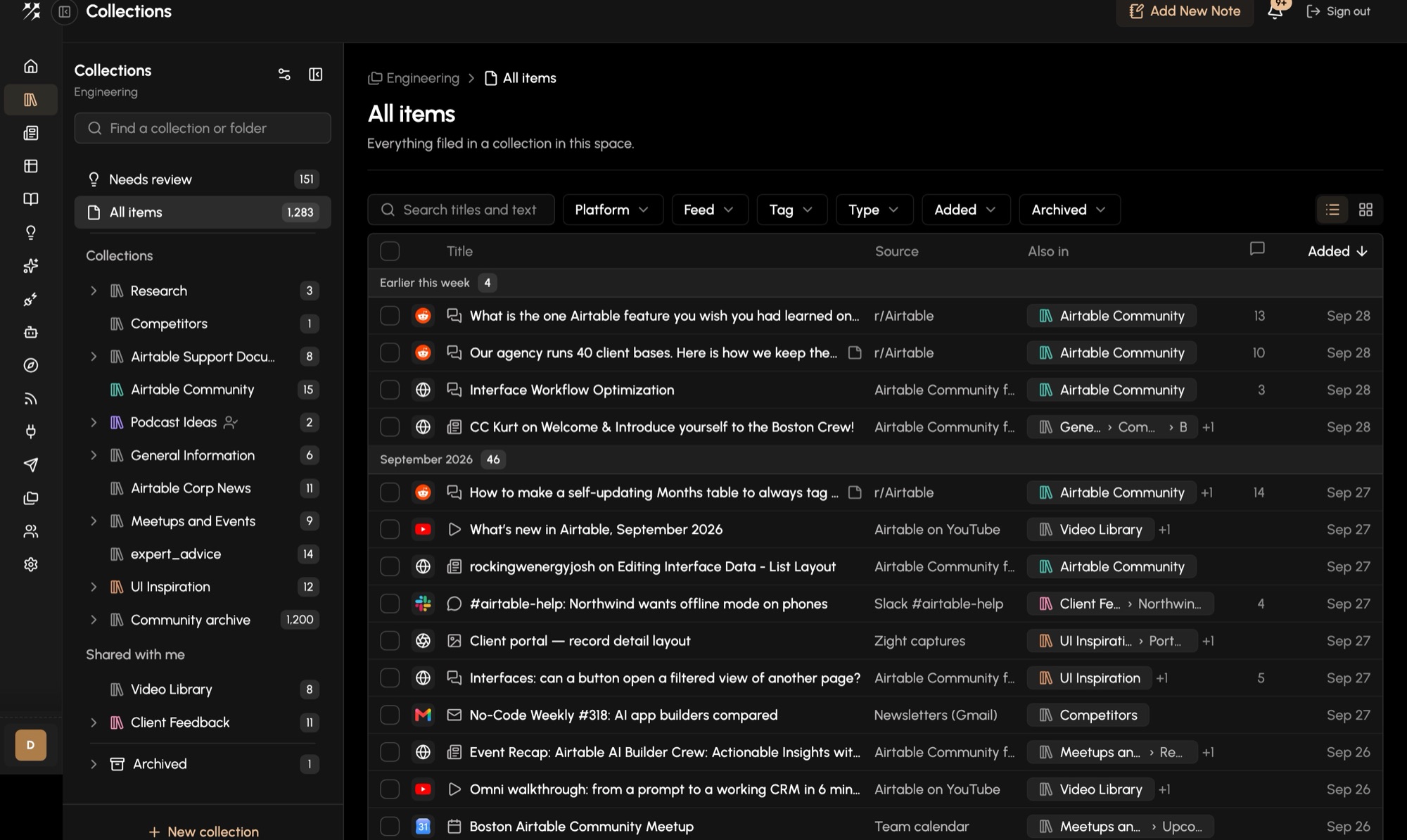
You describe a topic once, in a sentence: "anything a client could hold us to", "ideas for the next board meeting". OKB scores every new item against every topic, files the clear matches and suggests the close calls. One item can live in several places, and you can always see why it landed where it did.
- Thousands of items, one filterable view
- Suggestions you approve or decline
- Folders, tags and bulk moves
Feeds
Everything you read, arriving in one place.
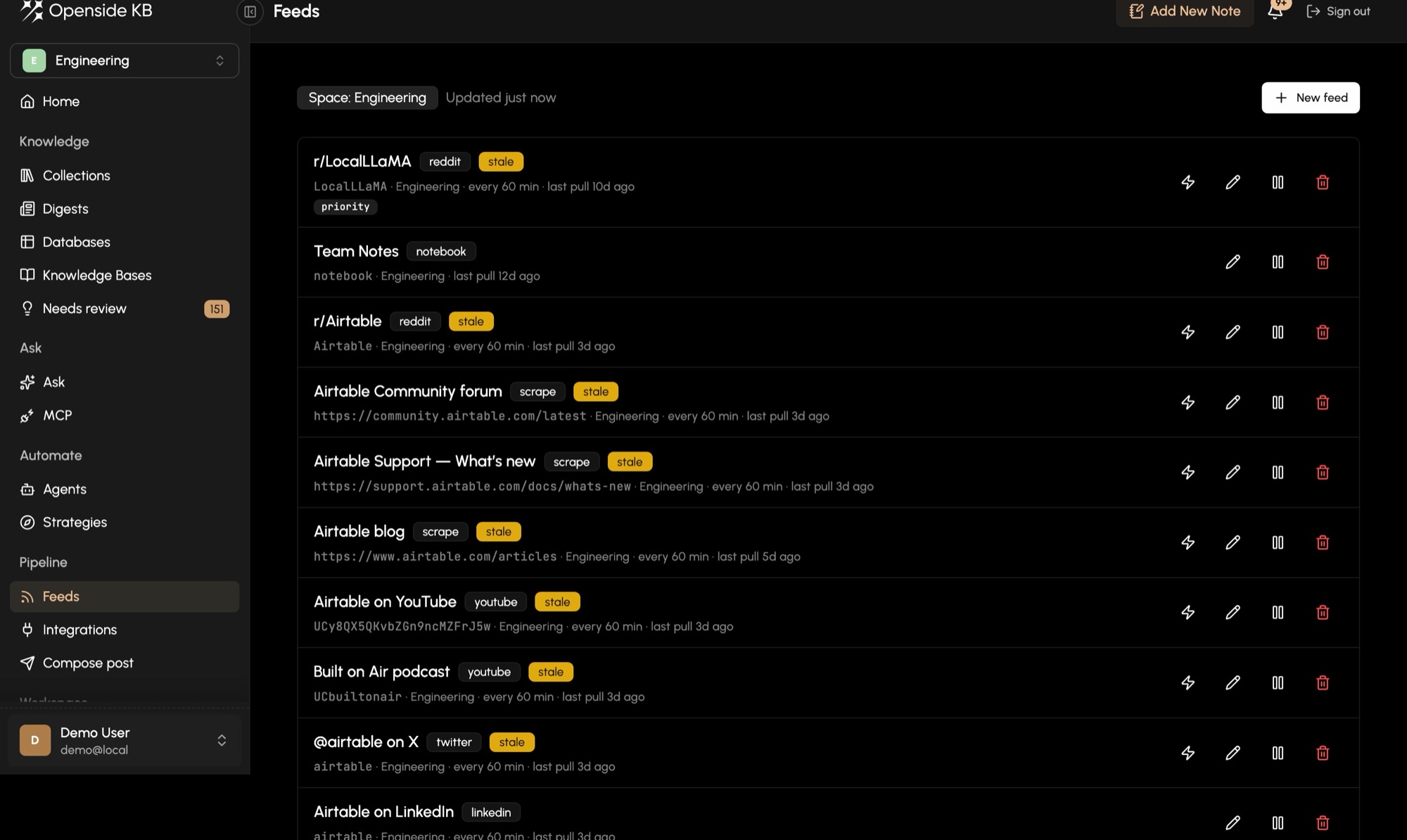
We connect the sources that matter to you: inboxes, Slack channels, shared drives, newsletters, industry forums, YouTube channels, websites and private systems. Each one is checked on a schedule, and nothing needs you to remember to copy it across.
- Email, Slack, Drive, RSS, YouTube, web pages
- Custom sources built for your systems
- Health of every source at a glance
Ask
A question instead of a search.
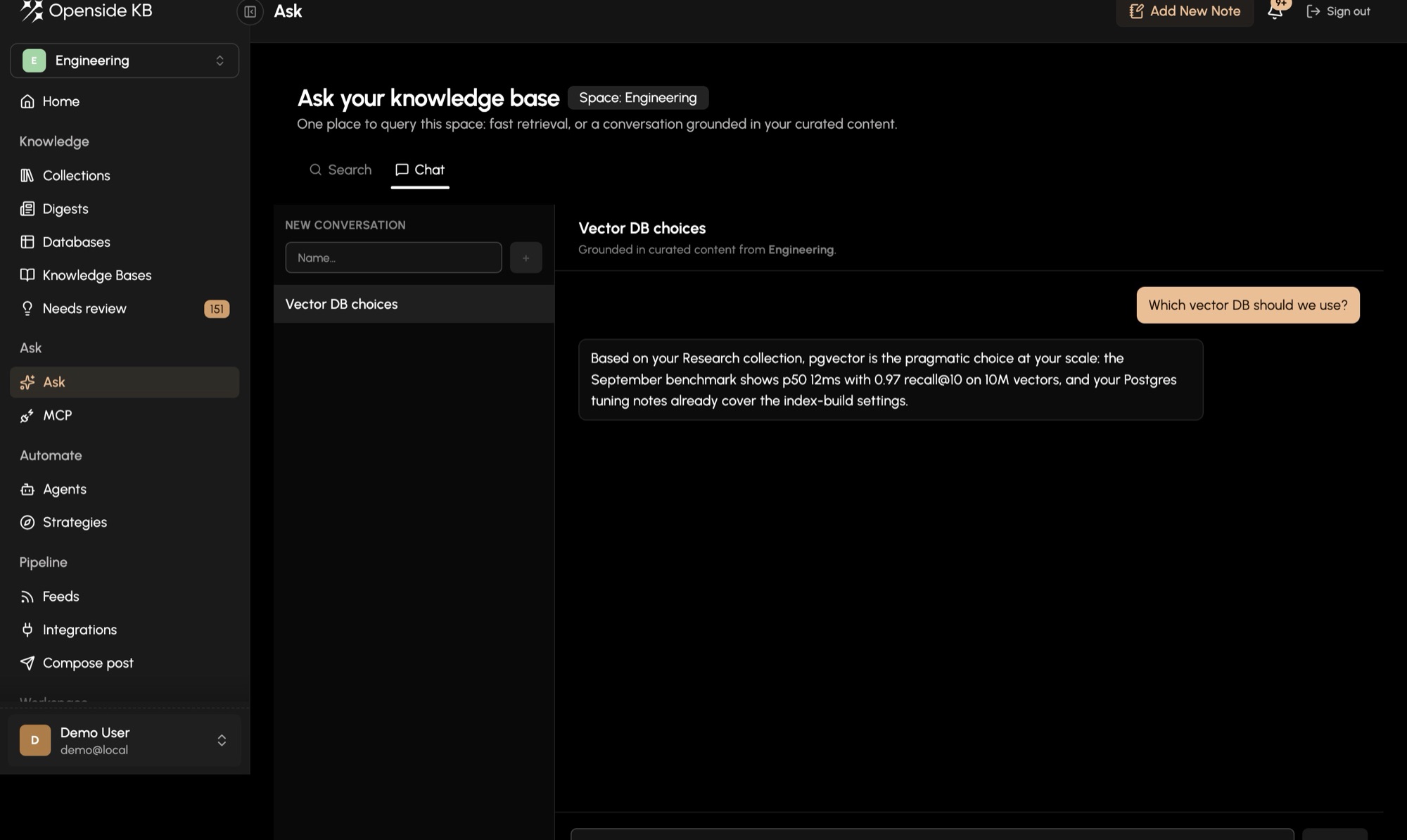
Ask what you would ask a chief of staff who had read everything: "what did we agree with the auditors last quarter?" The answer is assembled from your own material, and every claim points back to where it came from.
- Answers grounded in your content
- Sources on every claim
- Search when you know what you want
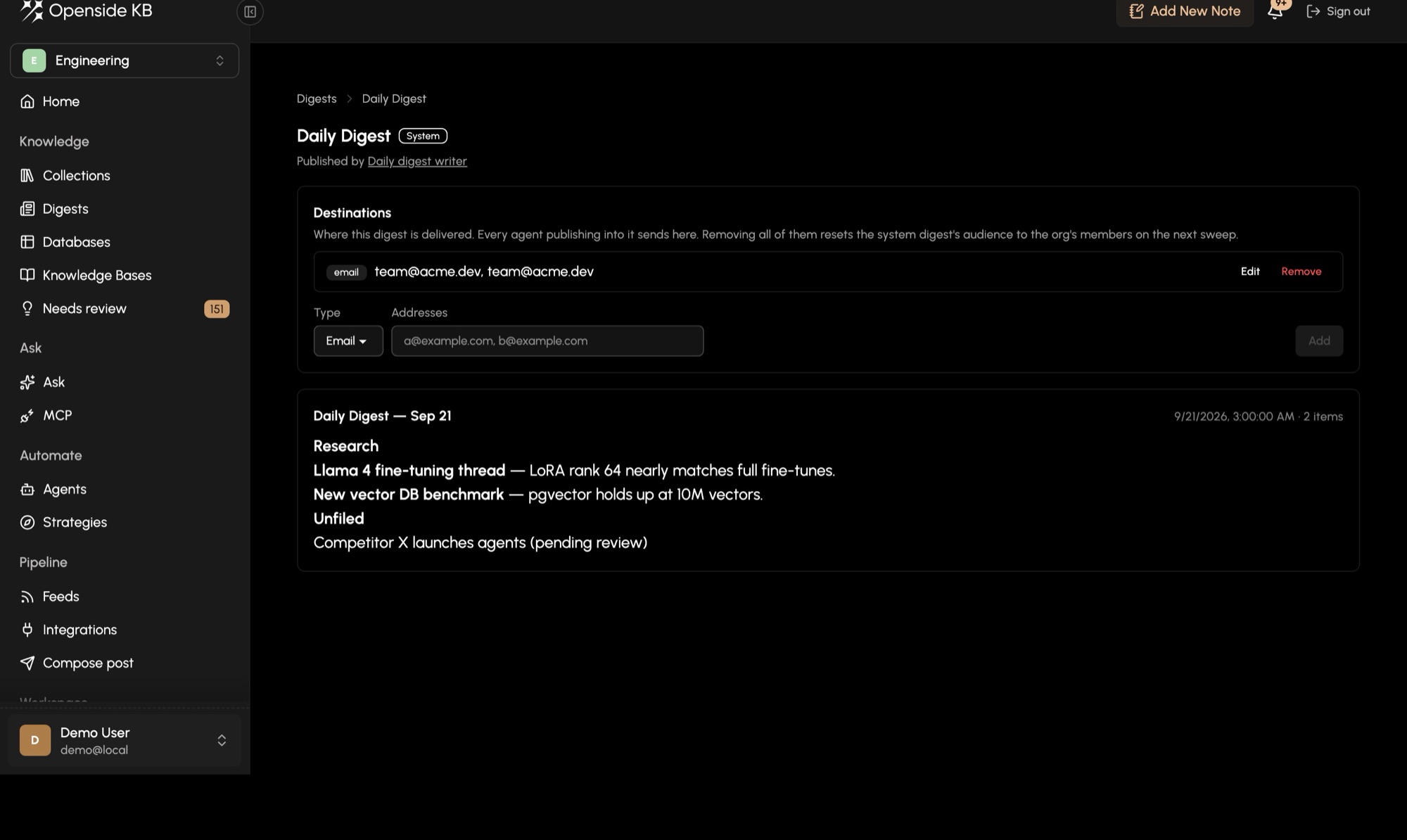
Digests
Briefed before your first meeting.
A short summary lands in your inbox or Slack on the schedule you choose, grouped by topic: what arrived, and one line on why it matters. Five minutes of reading in place of an hour of scrolling.
- Daily, weekly or on your schedule
- Grouped by the topics you care about
- Sent to you, your team or a partner
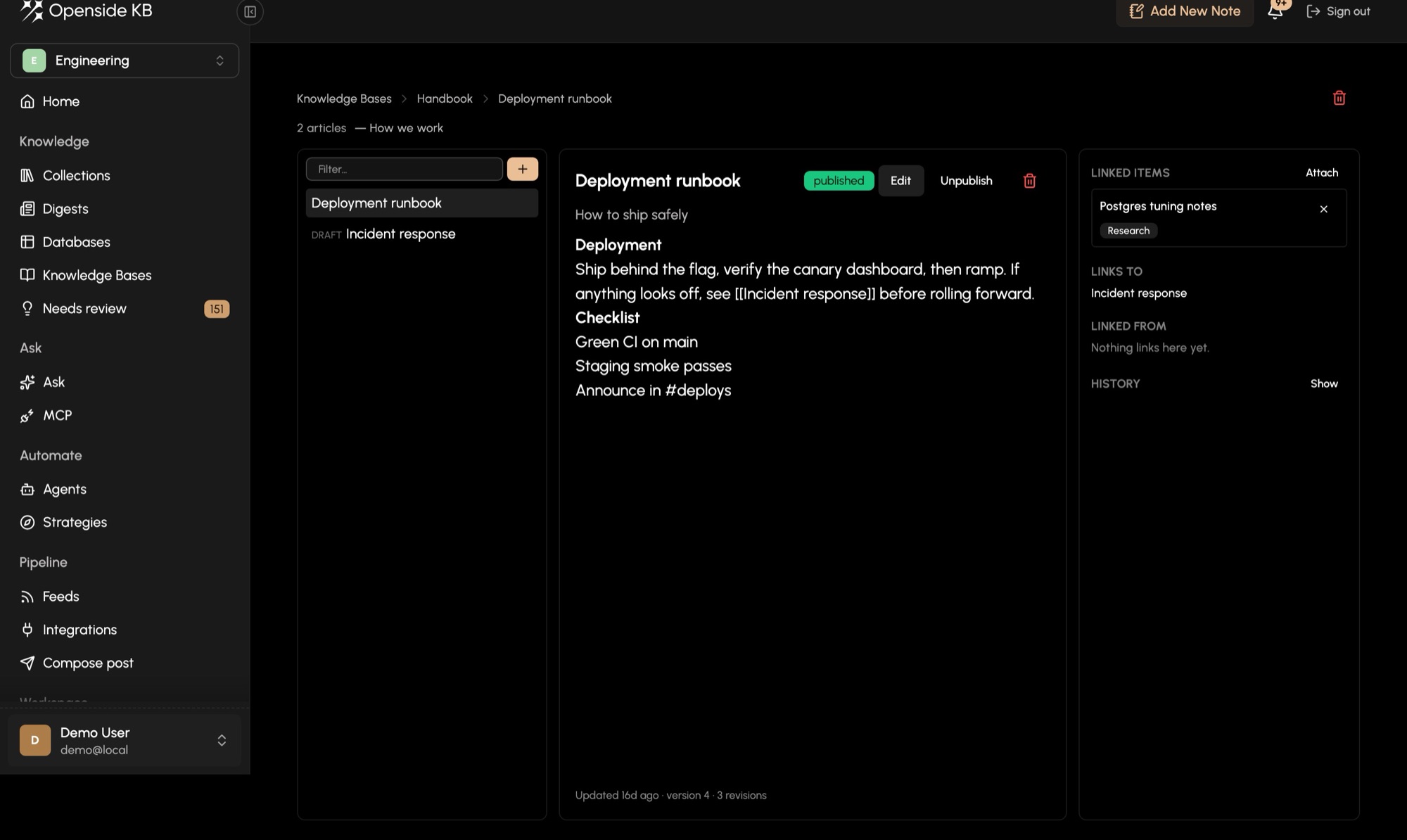
Journal, tables and a living wiki
Your own thinking, next to everything else.
Write a note after a call, keep a journal, draft a position. OKB files your writing like everything else, so Ask sees your thoughts beside your sources. Turn what arrives into tables (every vendor mentioned, every deadline promised) and into linked articles that keep their history.
- A notebook that sorts itself
- Tables extracted from your content
- Linked articles with every revision kept
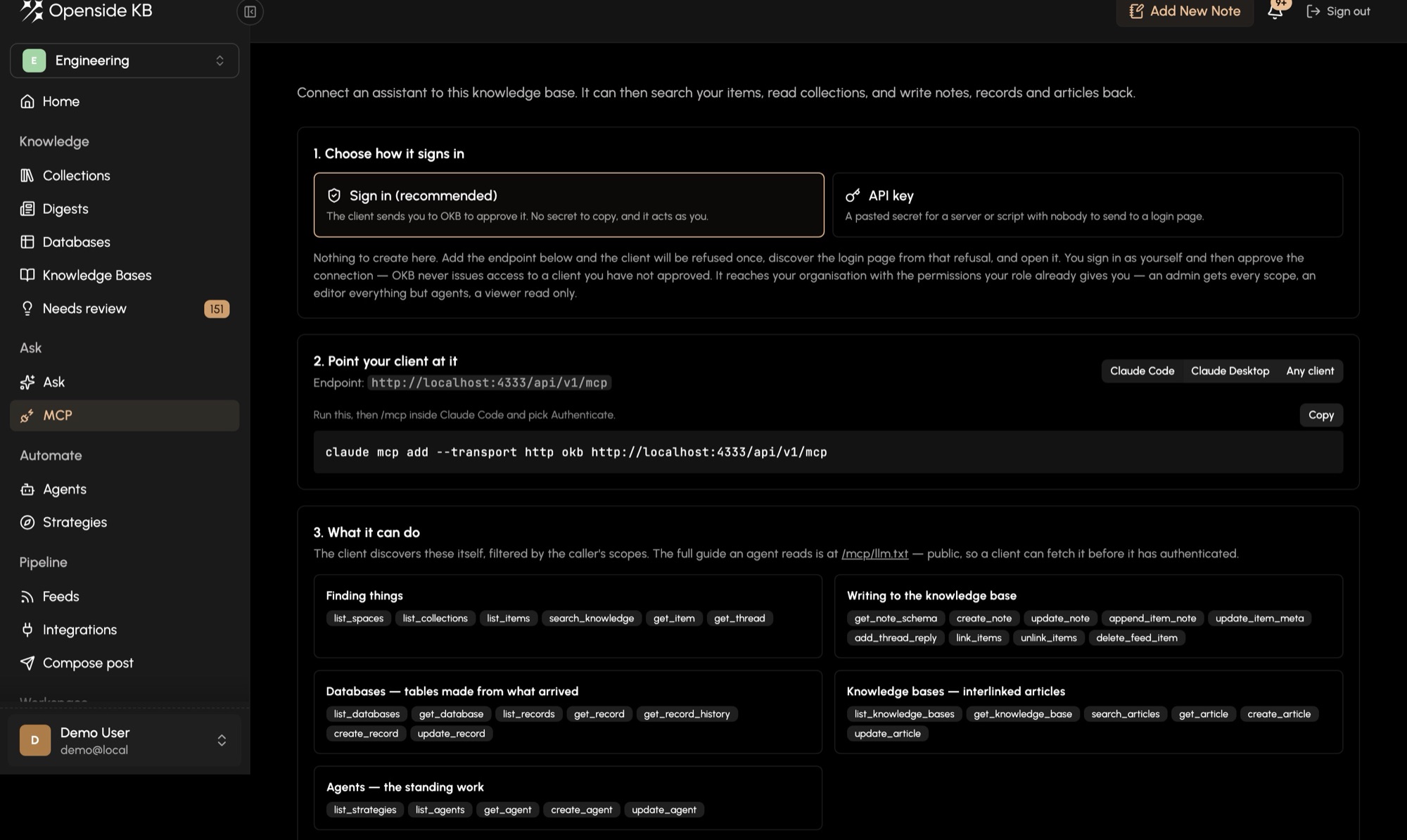
Open to your other tools
The central brain your other systems can draw on.
OKB speaks MCP and has an API, so Claude, ChatGPT, your CRM or a tool we build for you can search it, read it and write back to it, with exactly the permissions you grant. Your knowledge stops being trapped in whichever app it arrived in.
- MCP for AI assistants
- API for your own systems
- Scoped access, approved by you
Who it is for
For people whose work runs on information.
OKB is not for the mass market. It is for professionals who process more than they can read, and who would rather have it done properly than do it themselves.
-
Executives and founders
Board material, investor updates, the market and your own notes, in one place you can question.
-
Lawyers
Matters, correspondence and research sorted as it arrives, with every answer traceable to its source.
-
Doctors and clinicians
Journals, guidelines and the reading you never quite get to, condensed into a brief you actually read.
-
Accountants and advisers
Client documents, regulatory changes and prior work, organised without a filing system to maintain.
-
Anyone buried in information
You know AI could carry this load. You do not have the time to set it up, and you should not have to.
How it works
Not self-serve. White-glove.
There is no sign-up form and no monthly plan. Every OKB is built around one person or one team: the integrations your work needs, set up for you and tailored to exactly what you are looking for.
An engagement is an investment in the thousands of dollars to get running, scoped together in our first conversation.
- 01
A conversation
We talk about how you work, what you read, and where the time goes. If OKB is not the right fit, we will say so.
- 02
A design for you
We map your sources, your topics and the systems OKB needs to reach, and agree on what it should hand back to you.
- 03
Built and connected
We build the integrations your work needs, connect your accounts, and tune the sorting on your real material.
- 04
Looked after
We keep it running and keep tailoring it as your work changes. You use it; we maintain it.

Who built it
Built by a CEO who needed it first.
I run a company. My days are full, and there is more to read than there are hours to read it: email, Slack, the market, the community, my own notes from every call. I built OKB because I needed one place that took all of it in, kept it in order, and gave me answers when I asked. It changed how I work, and I think it would change how you work too.
Openside is a product studio in Provo, Utah. It builds On2Air and Baseout for Airtable teams, runs the BuiltOnAir community, and is forming The DOAP Alliance. Dan has spent twenty years building software companies; OKB is the system Dan runs that work on.
About OpensideBy introduction only.
Connect with Dan on LinkedIn and say you are interested in OKB. We will start with a conversation.